Skip to content

For tutoring and education centers

Run your entire tutoring center from one platform

DersLab brings attendance, exam results, homework tracking, tutoring schedules, and parent communication together in a single operational dashboard. Gemini AI–supported performance analysis shows teachers which student needs help where.

  • Google Cloud infrastructure
  • Web, iOS, and Android
  • Turkish interface
  • Currently in early access
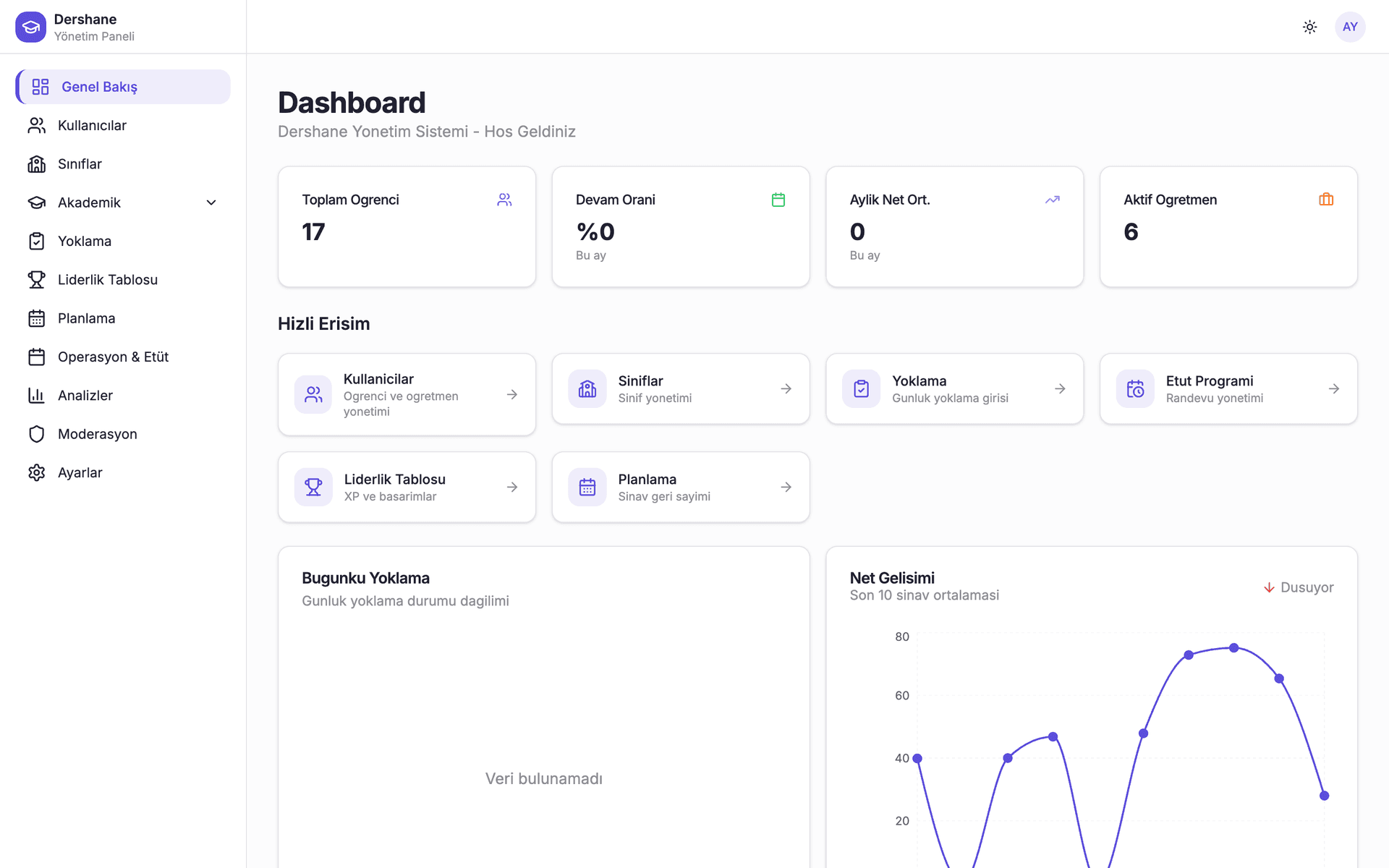
DersLab admin dashboard overview showing class, attendance, and performance summaries
Real screenshot from the admin dashboard
  • Attendance and exam tracking

    Daily attendance and mock exam results are handled in the same workflow.

  • Gemini AI–supported analysis

    Exam results are broken down by subject and topic, surfacing weak areas.

  • Real-time parent communication

    Absences, exam results, and announcements reach parents without delay.

Who it's for

Start with your role

Three different teams use DersLab inside a center. Pick the part that concerns you and go to the detailed page.

Center administrator

Manage enrollment, classes, staff, and daily operations from one dashboard, and see the academic picture across the whole center.

  • User, class, and staff management
  • Center-wide performance analytics
  • Attendance and tutoring schedule oversight
Details for administrators

Teacher

Complete attendance, homework assignment, and exam entry from the desktop or the mobile app.

  • Fast attendance from the mobile app
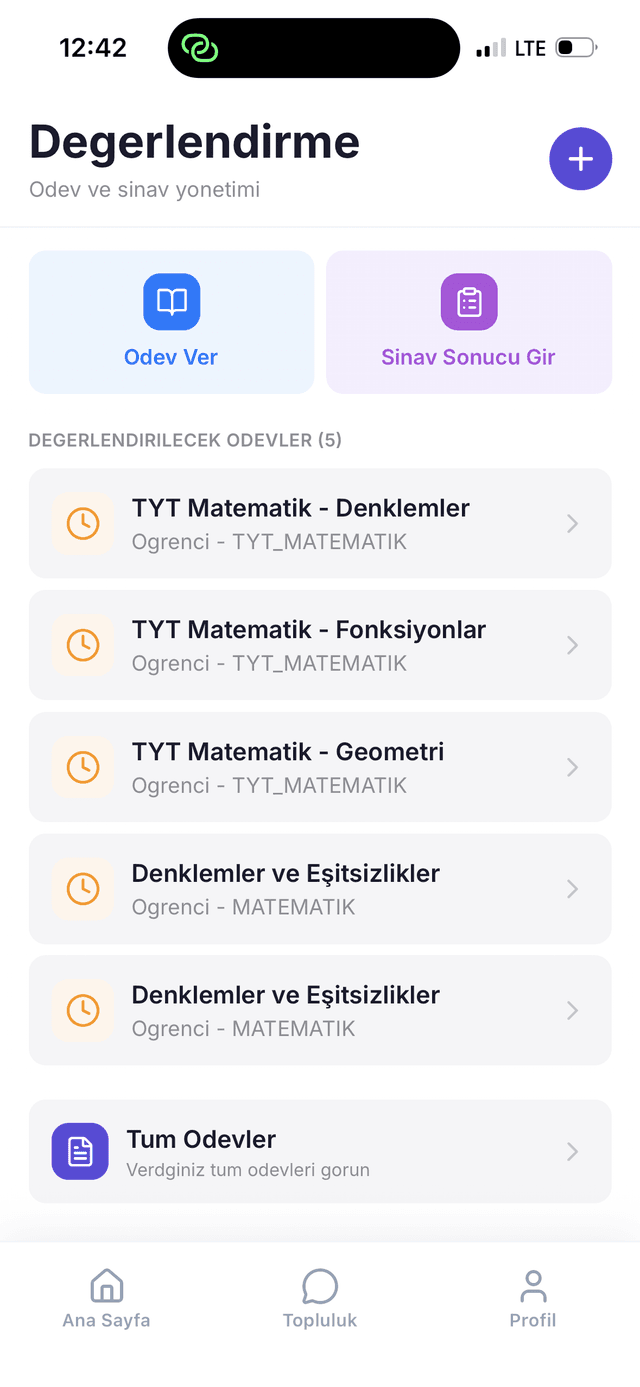
  • Homework assignment and graded review
  • Per-student exam history
Details for teachers

Parent and student

Track absences, exam results, homework, and announcements in real time from your own app.

  • Instant notification on absence
  • Exam results and net score progress
  • Weekly schedule and tutoring hours
Details for parents and students

What's inside

What does DersLab manage in your center?

Pick a module to see what it does day to day.

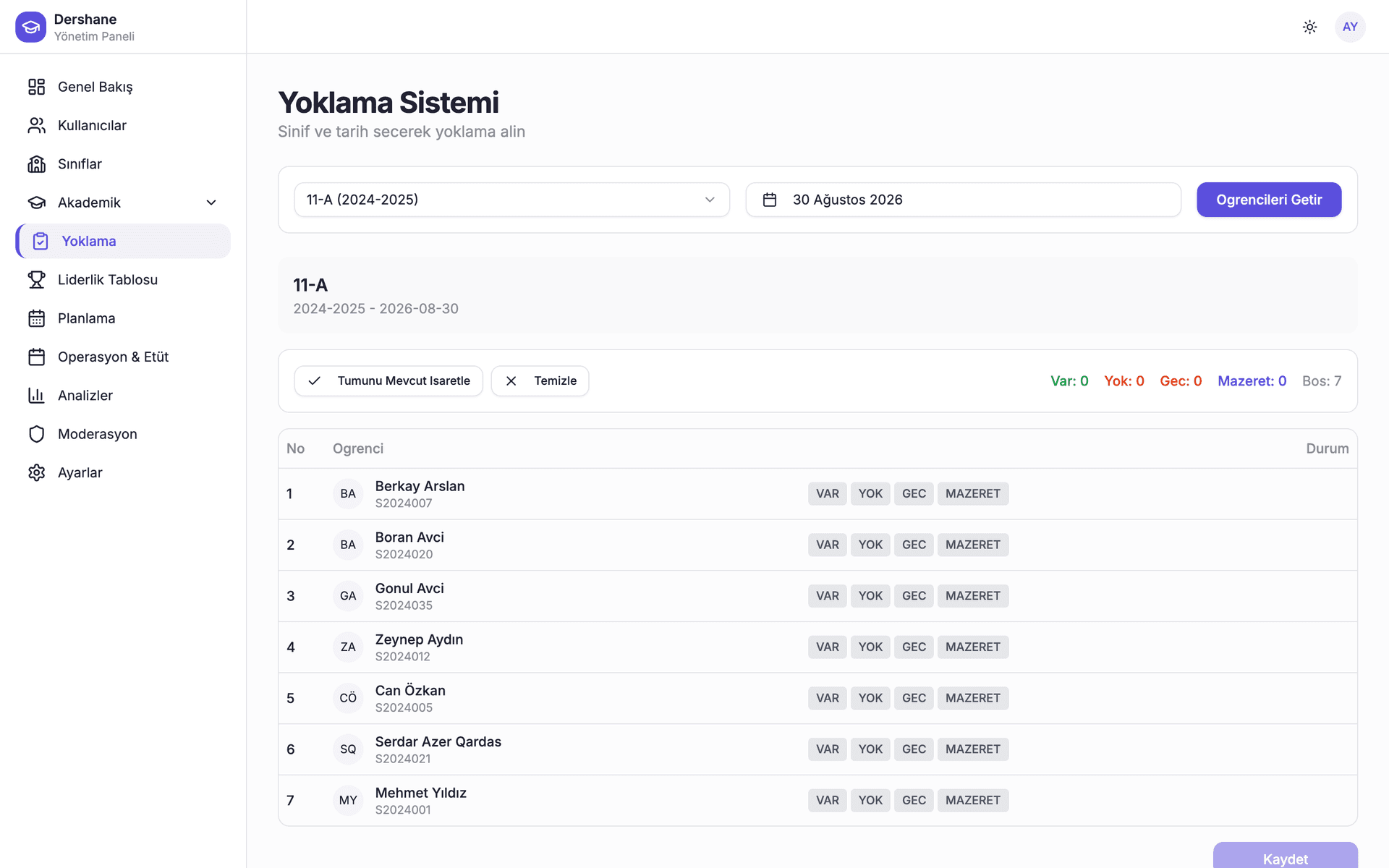
Take attendance class by class in seconds

Daily attendance is entered from one screen, parents are notified when an absence occurs, and statistics accumulate automatically.

  • Present, absent, late, and excused states
  • Automatic parent notification on absence
  • Per-student and per-class absence statistics

Want to see every module and how they work together in detail?

Explore all features

Administration and operations

Run your center's daily operations from one view

Directors and coordinators manage users, classes, homework and exam oversight, attendance, and scheduling without switching tools.

  • Users and classes

    Manage staff, teachers, and class rosters from a single admin view.

  • Homework and exam oversight

    Track assigned homework and exam results across every class.

  • Attendance and scheduling

    Oversee attendance and tutoring session schedules in one workflow.

  • Center-wide analytics

    Review performance trends across classes and teachers.

Detailed page for administrators
DersLab admin dashboard analytics screen with performance charts by class and subject
DersLab teacher app homework and exam management screen
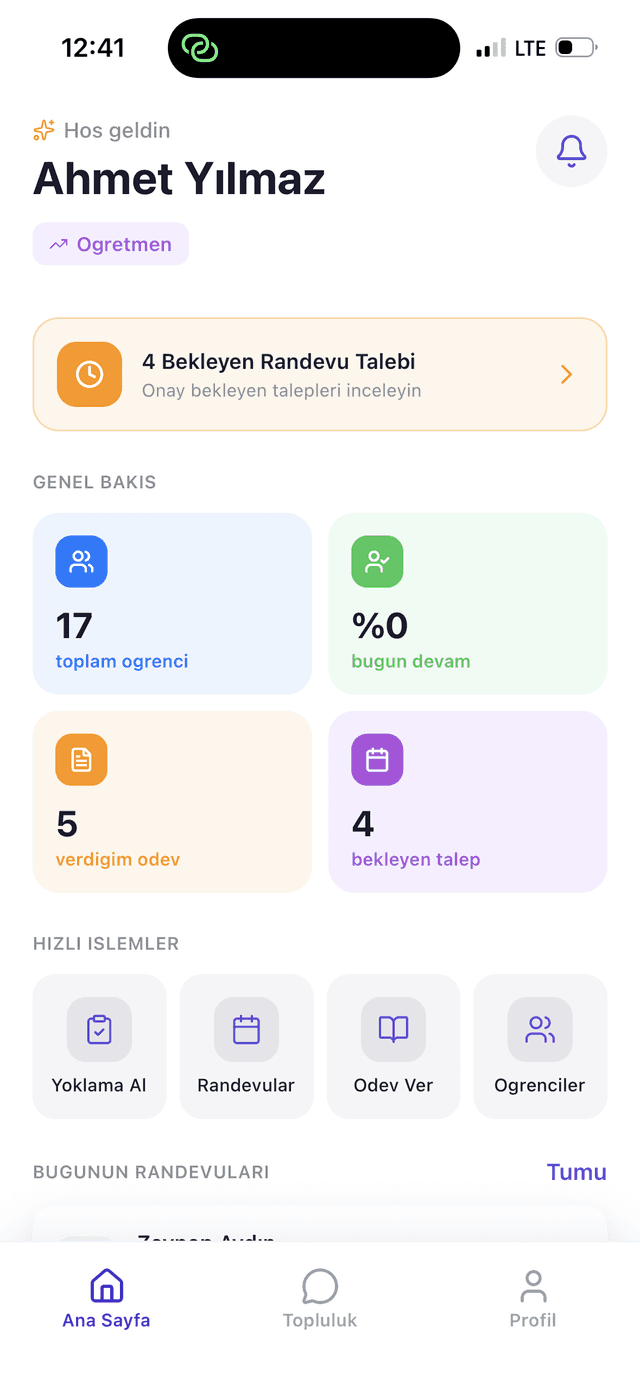
DersLab teacher app dashboard screen

Teacher application

Tools that finish a teacher's daily work

Attendance, exam entry, and student tracking made simple. Teachers can complete their daily tasks from the mobile app without leaving the classroom.

  • Class and student management

    Track all your students from a single dashboard.

  • Fast attendance

    Take roll call quickly and get attendance reports instantly.

  • AI-supported performance analysis

    Student assessments surface weak topics and recommendations.

Detailed page for teachers
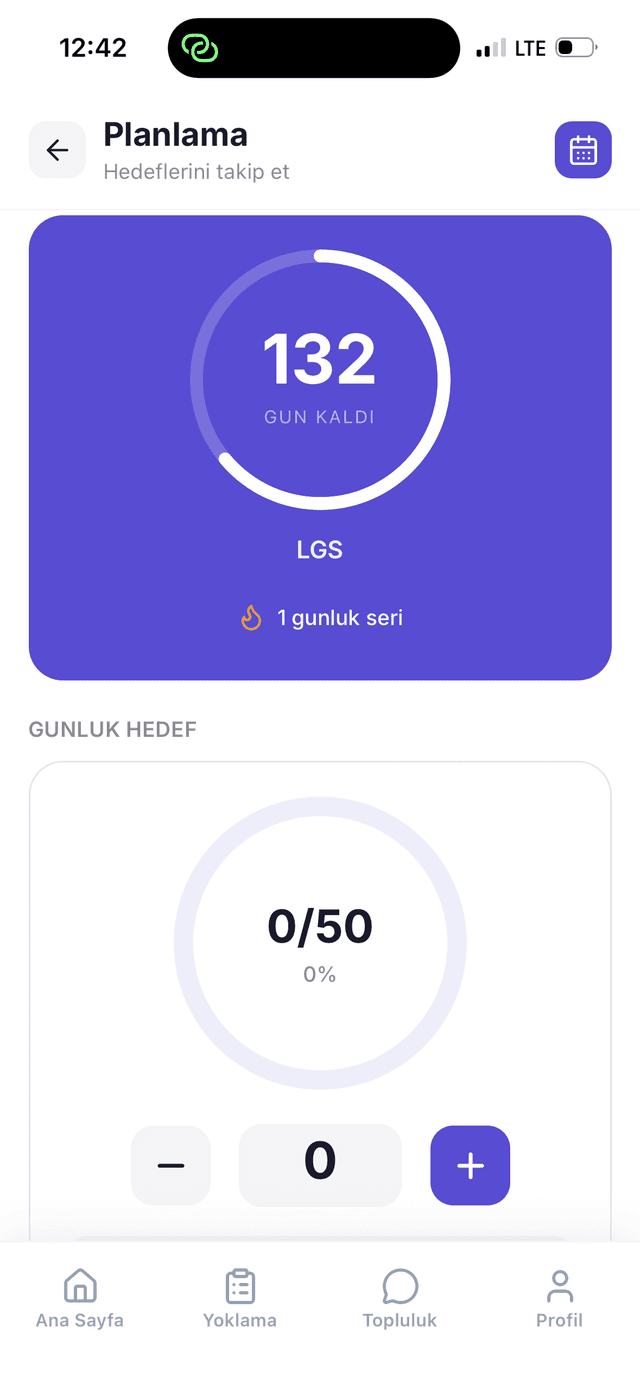
DersLab student app planning and goal tracking screen
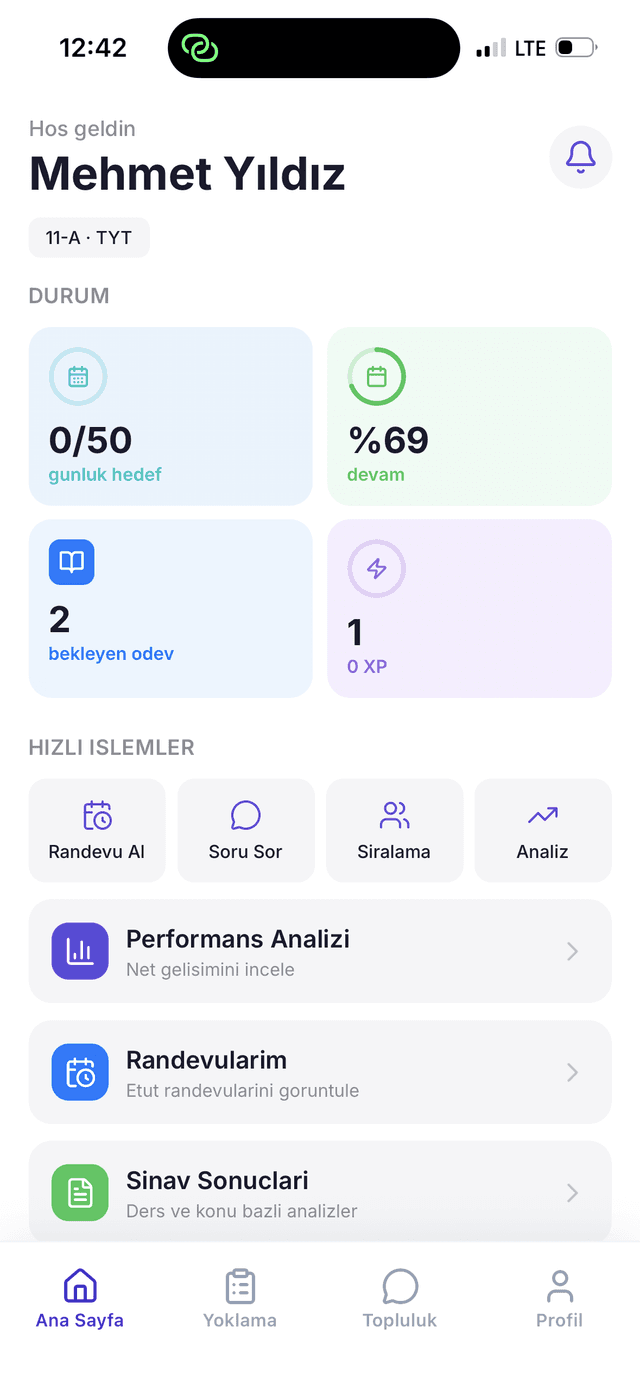
DersLab student app dashboard screen

Student and parent app

Your tutoring center in your pocket

Parents stay informed with real-time notifications. Absences, exam results, and assignments appear without delay.

  • Instant absence alerts

    Get notified immediately when your child misses class.

  • AI-supported exam reports

    Personalized analysis and recommendations after each exam.

  • Schedule management

    Weekly program and tutoring sessions in one place.

Detailed page for parents and students

AI-supported analysis

See where every student needs help

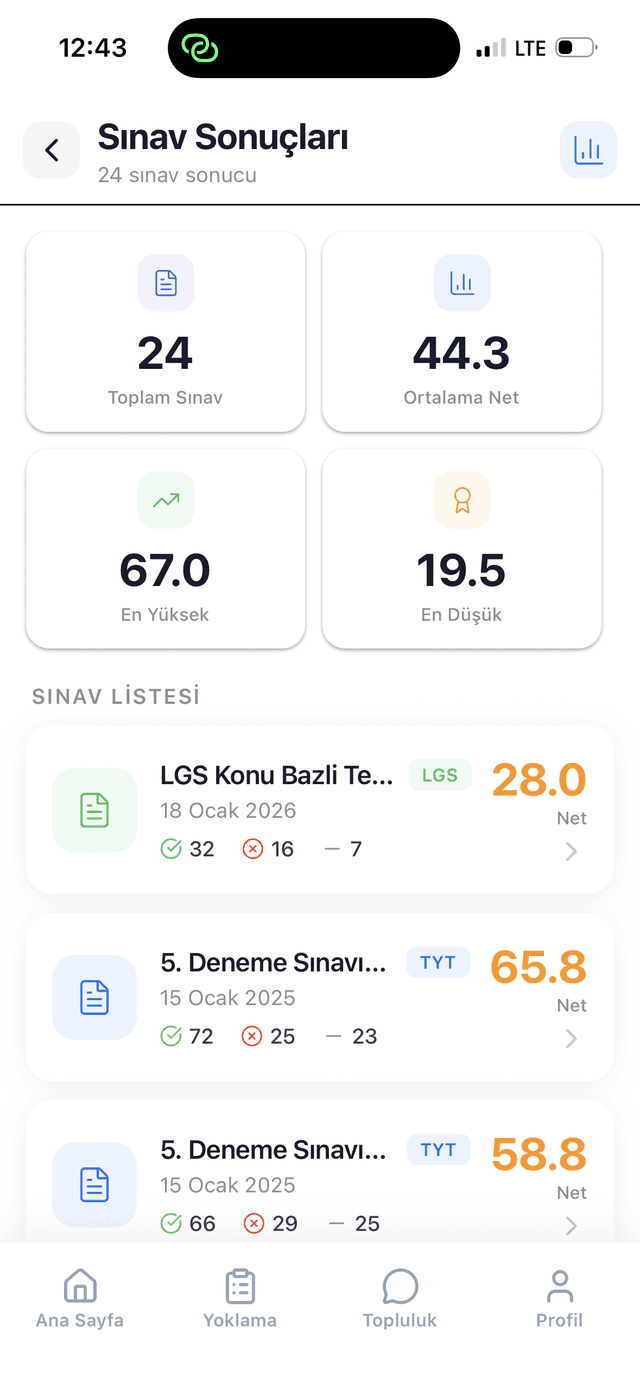
Exam results are tracked by subject and over time, with Gemini AI supporting analysis so teachers can focus on what each student needs next.

  • Subject and topic breakdown

    Every exam result is stored broken down by subject and topic, not as a single score.

  • Progress over time

    Highs, lows, and trends across a student's full exam history are tracked automatically.

  • AI-supported insight

    Gemini AI surfaces weak topics and study recommendations; the teacher makes the call.

DersLab exam results screen showing subject-based net scores and performance history

Process

How do we start?

From demo request to live use, the process moves in four steps.

  1. Step 1

    Demo request

    Fill in the form. We get in touch to clarify your center's size and needs together.

  2. Step 2

    Center setup

    Your classes, teachers, and student roster are imported, and permissions are defined for your center's structure.

  3. Step 3

    Team training

    We walk your administrator and teacher team through the dashboard and the mobile app.

  4. Step 4

    Go live

    Parents and students are invited to the app, and the center starts running its daily operations on DersLab.

Infrastructure and reliability

Built on Google Cloud, with AI as one supporting capability inside a full operations platform.

Hosted on Google Cloud

Your center's data runs on Google Cloud infrastructure, with automatic backups and access from any device.

AI-supported, not AI-only

Gemini AI is one capability that supports exam analysis and study recommendations, not the whole product.

Built around daily operations

Attendance, scheduling, and exam entry are designed for the day-to-day workflow of a tutoring center, not a generic dashboard.

Empowering education through data

DersLab is an ed-tech startup based in Hatay, Turkey. We are dedicated to making advanced academic analytics accessible with Google Gemini AI, and to strengthening the link between parents, students, and educators.

Meet the team

The people building the future of education management

Portrait photo of Zafer Avcı

Zafer Avcı

Co-Founder & Lead Engineer

Computer engineer specializing in cloud architecture and AI. Passionate about building scalable SaaS solutions that solve real-world problems.

Frequently asked questions

What centers ask most often before a demo. If your question isn't answered here, send it through the form.

Is DersLab available yet?

DersLab is currently in early access. We onboard centers in order; when you leave a demo request, we get in touch about the process.

What does DersLab manage in my center?

Attendance, exam results and net score analysis, homework tracking, tutoring session scheduling, study planning, the question pool, and parent communication. On top of that comes Gemini AI–supported performance analysis.

Do parents and students get their own app?

Yes. Parents and students use an iOS and Android app to follow absences, exam results, homework, and announcements. There is a separate mobile app for teachers as well.

What happens to our existing student and class data?

During setup, your existing student, class, and teacher rosters are imported. We clarify what format your data is in and how the import will work during the demo call.

Where is our data hosted?

DersLab runs on Google Cloud infrastructure, with automatic backups.

How does pricing work?

We share pricing directly with centers during early access onboarding. Because it depends on center size, we discuss it together during the demo call.

What exactly does the AI do?

Gemini AI analyzes exam results to surface weak topics and study recommendations. The teacher makes the decision; the AI prepares the data rather than replacing the teacher.

Will our teachers struggle to adopt the system?

A teacher's daily tasks (attendance, homework assignment, exam entry) are designed to be completed from the mobile app. We provide training for your team during setup.

How long does setup take?

Setup time depends on your center's size and the state of your existing data. We plan the timeline together during the demo call.

What if parents don't use the app?

Attendance, exam, and homework tracking on the center side work independently of parents. The parent app is an information layer; the center's daily operations are unaffected if it goes unused.

Early access

Request a demo for your center

Fill in the form and we'll get in touch to discuss your center's needs and show the platform live.

Optional. Fill this in if you'd prefer a call back.

Optional. This helps speed up the conversation.

Once we receive the form, we get back to you and schedule a demo suited to your center. Your request creates no obligation.

We use your information only to get in touch with you, and never share it with third parties.

If you'd rather not fill in the form, write to us directly: zaferavci@derslab.org