Learn about absences without delay
You get a notification when your child misses class. Absence history accumulates in the app.
For parents and students
What families and students follow in the mobile app.
Parents are usually the last to find out. In DersLab, an absence, exam result, or homework status reaches the parent app the moment it happens at the center, and students follow their own progress in the same place.
Request a demoYou get a notification when your child misses class. Absence history accumulates in the app.
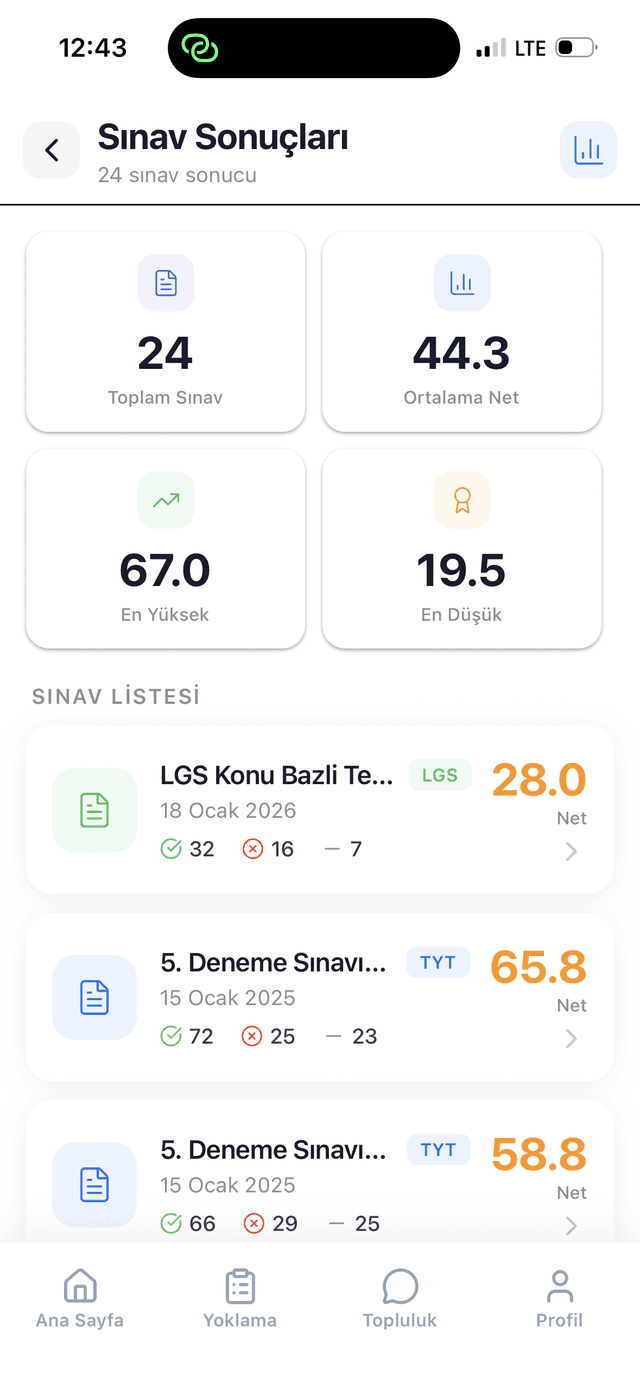
Each mock exam result appears not as a single score but as a per-subject net breakdown and progress over time.
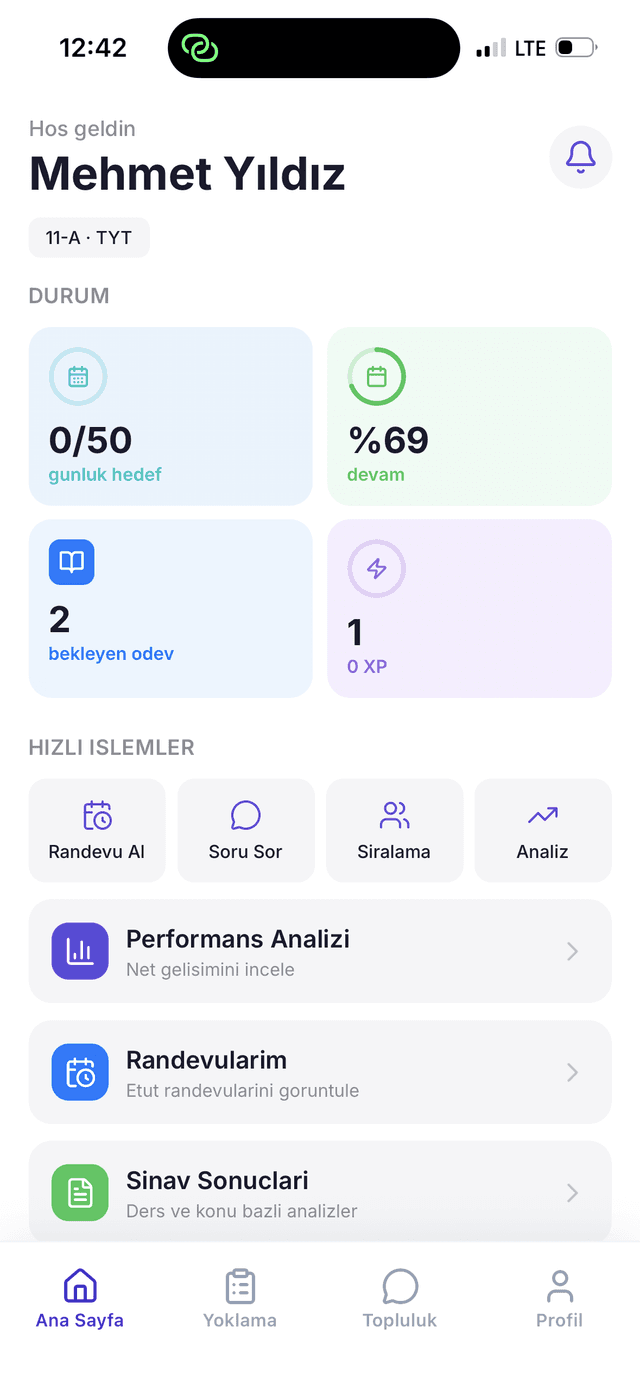
Assigned homework, submission states, the weekly schedule, and tutoring hours are all listed in the app.
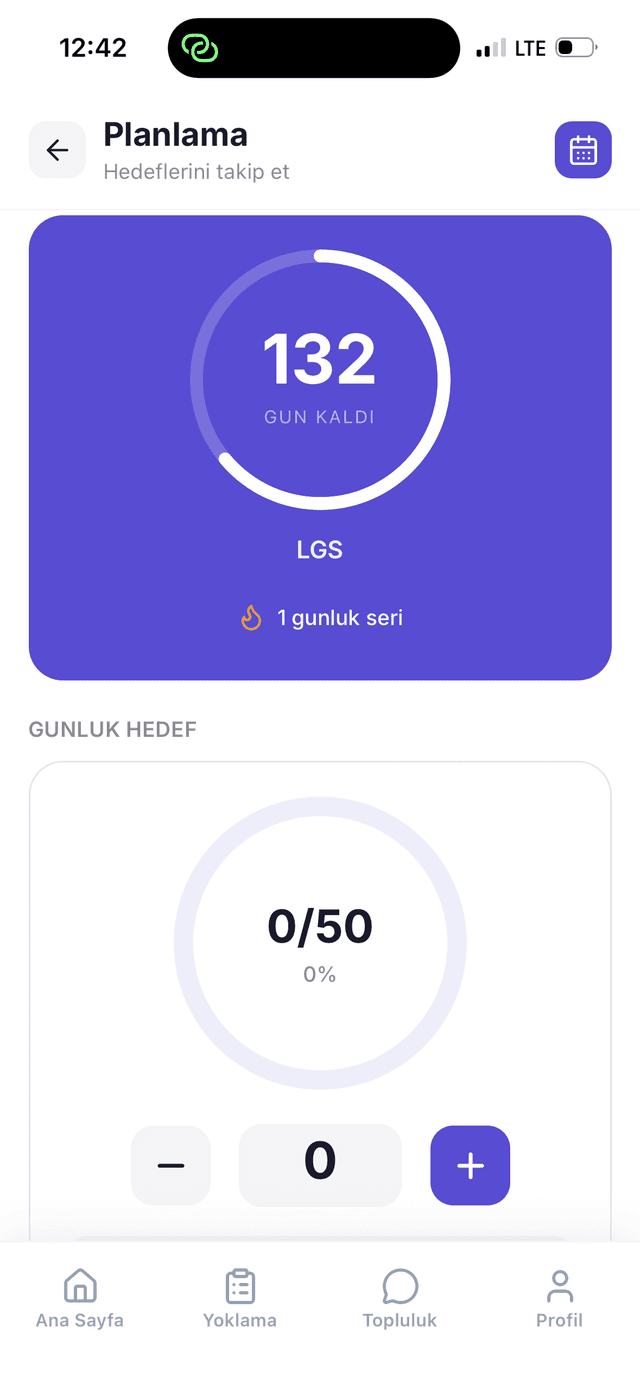
Daily question goals, exam countdowns, uninterrupted study streaks, and badges keep students on a regular routine.
Student and parent app
Parents stay informed with real-time notifications. Absences, exam results, and assignments appear without delay.
Get notified immediately when your child misses class.
Personalized analysis and recommendations after each exam.
Weekly program and tutoring sessions in one place.
AI-supported analysis
Exam results are tracked by subject and over time, with Gemini AI supporting analysis so teachers can focus on what each student needs next.
Every exam result is stored broken down by subject and topic, not as a single score.
Highs, lows, and trends across a student's full exam history are tracked automatically.
Gemini AI surfaces weak topics and study recommendations; the teacher makes the call.
Process
From demo request to live use, the process moves in four steps.
Fill in the form. We get in touch to clarify your center's size and needs together.
Your classes, teachers, and student roster are imported, and permissions are defined for your center's structure.
We walk your administrator and teacher team through the dashboard and the mobile app.
Parents and students are invited to the app, and the center starts running its daily operations on DersLab.
Who it's for
Three different teams use DersLab inside a center. Pick the part that concerns you and go to the detailed page.
Manage enrollment, classes, staff, and daily operations from one dashboard, and see the academic picture across the whole center.
Complete attendance, homework assignment, and exam entry from the desktop or the mobile app.
Track absences, exam results, homework, and announcements in real time from your own app.
What centers ask most often before a demo. If your question isn't answered here, send it through the form.
DersLab is currently in early access. We onboard centers in order; when you leave a demo request, we get in touch about the process.
Attendance, exam results and net score analysis, homework tracking, tutoring session scheduling, study planning, the question pool, and parent communication. On top of that comes Gemini AI–supported performance analysis.
Yes. Parents and students use an iOS and Android app to follow absences, exam results, homework, and announcements. There is a separate mobile app for teachers as well.
During setup, your existing student, class, and teacher rosters are imported. We clarify what format your data is in and how the import will work during the demo call.
DersLab runs on Google Cloud infrastructure, with automatic backups.
We share pricing directly with centers during early access onboarding. Because it depends on center size, we discuss it together during the demo call.
Gemini AI analyzes exam results to surface weak topics and study recommendations. The teacher makes the decision; the AI prepares the data rather than replacing the teacher.
A teacher's daily tasks (attendance, homework assignment, exam entry) are designed to be completed from the mobile app. We provide training for your team during setup.
Setup time depends on your center's size and the state of your existing data. We plan the timeline together during the demo call.
Attendance, exam, and homework tracking on the center side work independently of parents. The parent app is an information layer; the center's daily operations are unaffected if it goes unused.
Early access
Fill in the form and we'll get in touch to discuss your center's needs and show the platform live.
If you'd rather not fill in the form, write to us directly: zaferavci@derslab.org